How to Convert Uppercase to Lowercase in Python Easily?
String case conversion is a common operation in Python. Converting uppercase text to lowercase helps standardize data, improve search consistency, and reduce comparison bugs.
Quick Summary: Convert Uppercase to Lowercase in Python
- Use
lower()andupper()for quick, readable case conversion— non-developers can use our free case converter instead. - Python strings are immutable, so store converted results in a new variable.
- Manual ASCII conversion with
ord()andchr()is useful for learning and interviews. - Use
casefold()for advanced Unicode-aware case-insensitive comparisons. - Case normalization is common in login flows, search, and ETL—see FAQs on tools and methods for no-code workflows.
Why Convert Uppercase to Lowercase in Python?
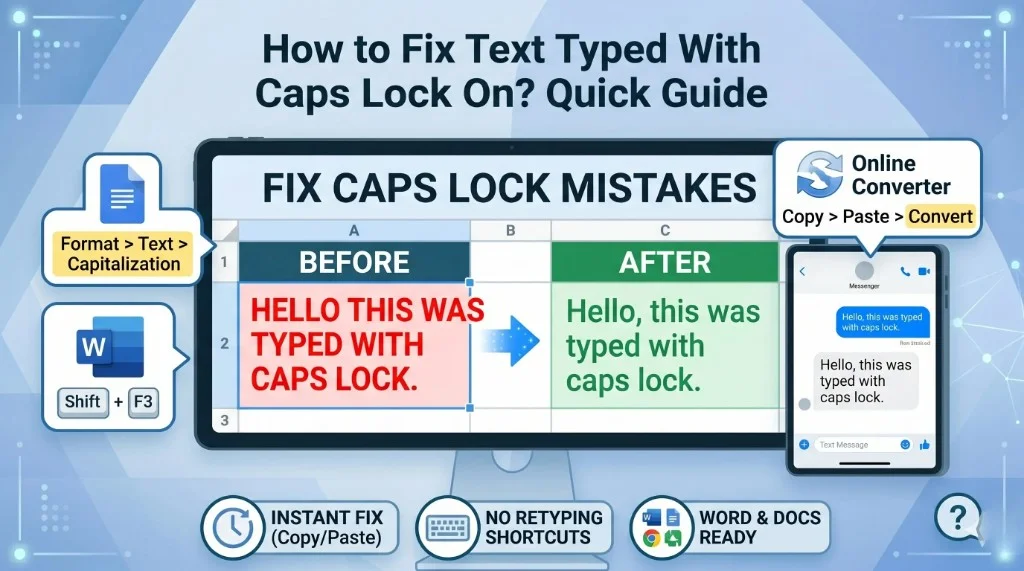
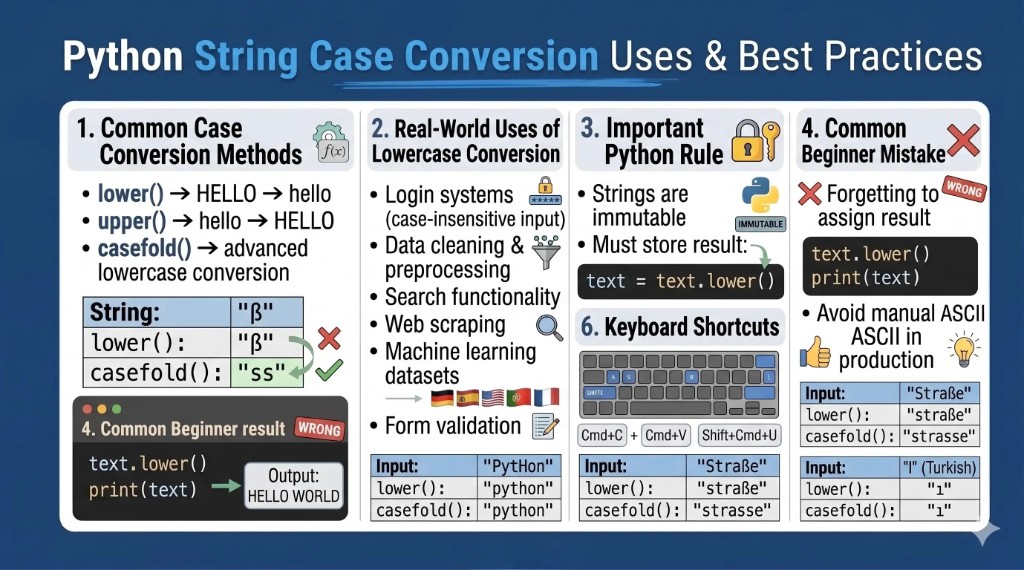
Developers use lowercase conversion for case-insensitive searches, validation, text normalization, and clean string comparison. Non-developers can use our free case converter or fix caps-lock text with our quick caps lock guide. Compare with JavaScript toLowerCase() and Java toLowerCase() when working across languages.
Convert Uppercase to Lowercase Using lower() in Python
Syntax
string.lower()Example
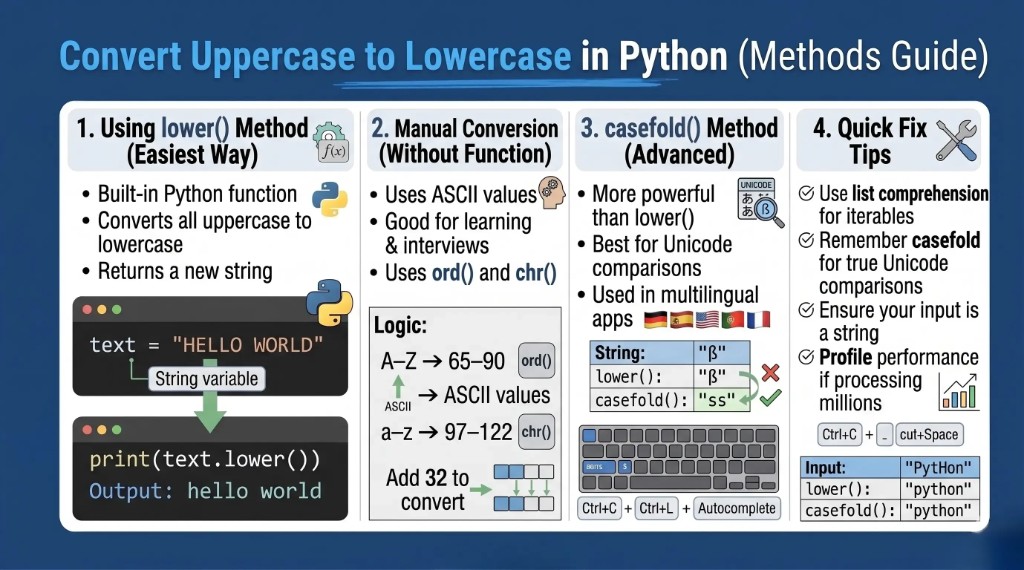
text = "HELLO WORLD"
result = text.lower()
print(result)
Output: hello world
The original string is unchanged because Python strings are immutable.
How lower() Works in Python
- Converts uppercase letters to lowercase.
- Returns a new string.
- Leaves numbers and symbols unchanged.
text = "PYTHON 3.12!"
print(text.lower())  # python 3.12!
Convert Lowercase to Uppercase in Python
text = "hello world"
print(text.upper())  # HELLO WORLD
Convert Uppercase to Lowercase Without Using Inbuilt Function
text = "HELLO WORLD"
result = ""
for char in text:
    if "A" <= char <= "Z":
        result += chr(ord(char) + 32)
    else:
        result += char
print(result)
Output: hello world
Understanding ASCII Conversion in Python
| Character | ASCII Value |
|---|---|
| A | 65 |
| Z | 90 |
| a | 97 |
| z | 122 |
Difference between uppercase and lowercase letters is 32, so adding 32 to uppercase ASCII gives lowercase.
Practical Lowercase Conversion Examples
Single Character
char = "A"
print(char.lower())  # a
User Input
name = input("Enter your name: ")
print(name.lower())
List Elements
words = ["HELLO", "WORLD", "PYTHON"]
lowercase_words = [word.lower() for word in words]
print(lowercase_words)  # ['hello', 'world', 'python']
Loop-Based Conversion
text = "WELCOME"
for char in text:
    print(char.lower(), end="")  # welcome
Text File Content
with open("sample.txt", "r") as file:
    content = file.read()
print(content.lower())
Difference Between lower() and casefold() in Python
text = "HELLO"
print(text.lower())
print(text.casefold())
casefold() is more aggressive and preferred for Unicode-aware string matching.
Best Practices for String Case Conversion in Python
- Use
lower()for most standard workflows. - Use
casefold()for multilingual or Unicode-heavy comparisons. - Avoid manual ASCII conversion in production unless needed for learning or constraints.
- Normalize user input before validation and comparisons.
- Keep casing consistent across datasets and search indexes.
Real-World Uses
- Login systems
- Search engines
- Form validation
- Chat applications
- Data cleaning and ML preprocessing
- Web scraping pipelines
Frequently Asked Questions (FAQs): Case Conversion in Python
How do I convert uppercase to lowercase in Python?
Use text.lower().
How do I convert lowercase to uppercase in Python?
Use text.upper().
Can I convert uppercase to lowercase without using lower()?
Yes, by manually converting ASCII values with ord() and chr().
Does lower() modify the original string?
No. Strings are immutable; it returns a new string.
What is the difference between lower() and casefold()?
casefold() is stronger and better for Unicode comparisons.
How do I convert a list of strings to lowercase?
Use list comprehension: [item.lower() for item in items].
Will numbers and symbols change with lower()?
No, only alphabetic characters are case-converted.
Why is lowercase conversion important in Python?
It improves consistency for searching, matching, validation, and processing.
Final Thoughts
Lowercase conversion in Python is simple but essential. The built-in lower()method is fast and readable for most tasks, while manual ASCII logic helps beginners understand character handling. Mastering these patterns improves reliability across automation, data engineering, and application development.
Share this article