What Is the Keyboard Shortcut to Convert Uppercase to Lowercase?
Discover Shift + F3 shortcuts, formatting tips, and easy case conversion methods to convert uppercase to lowercase using keyboard shortcuts on Windows and Mac.
Quick Summary: Keyboard Shortcut to Convert Uppercase to Lowercase
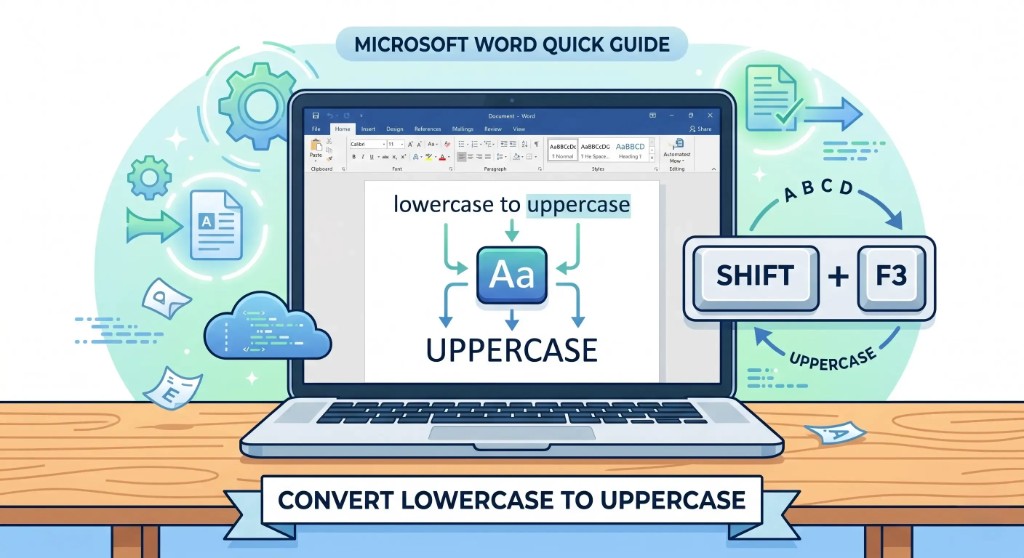
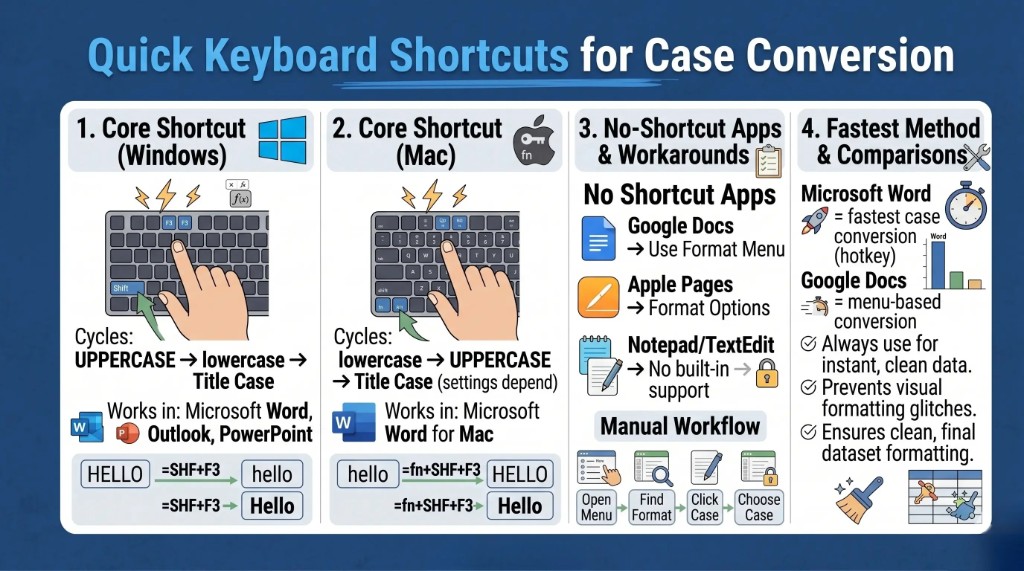
- Shift + F3 on Windows (Microsoft Word)
Word and several Office apps let you cycle UPPERCASE → lowercase → Title Case with Shift + F3. - fn + Shift + F3 on Mac (Word)
Word for Mac uses thefnkey with the same cycle, though behavior can depend on keyboard and system settings. - Google Docs & Apple Pages lean on menus
Many non-Office apps rely on Format menus—see how to change case in Google Docs for step-by-step capitalization options. - Shortcuts boost productivity
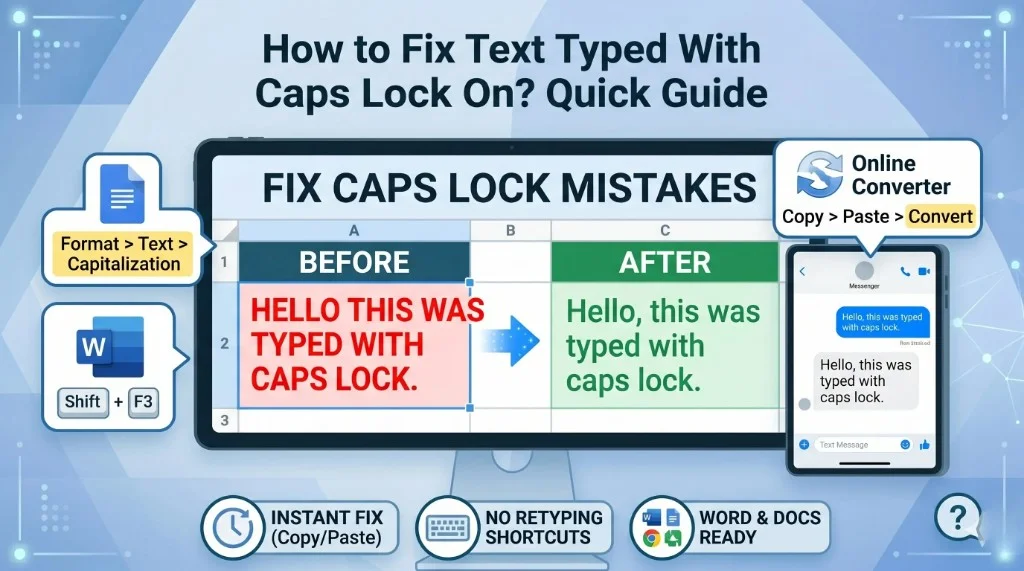
Fixing accidental caps lock or pasted ALL CAPS is faster than retyping—our caps lock fix guide covers online tools and Word workflows too. - Check Mac function-key settings
Iffnshortcuts fail, toggle "Use F1, F2, etc. keys as standard function keys" in System Settings → Keyboard.
Why Use a Keyboard Shortcut to Convert Uppercase to Lowercase?
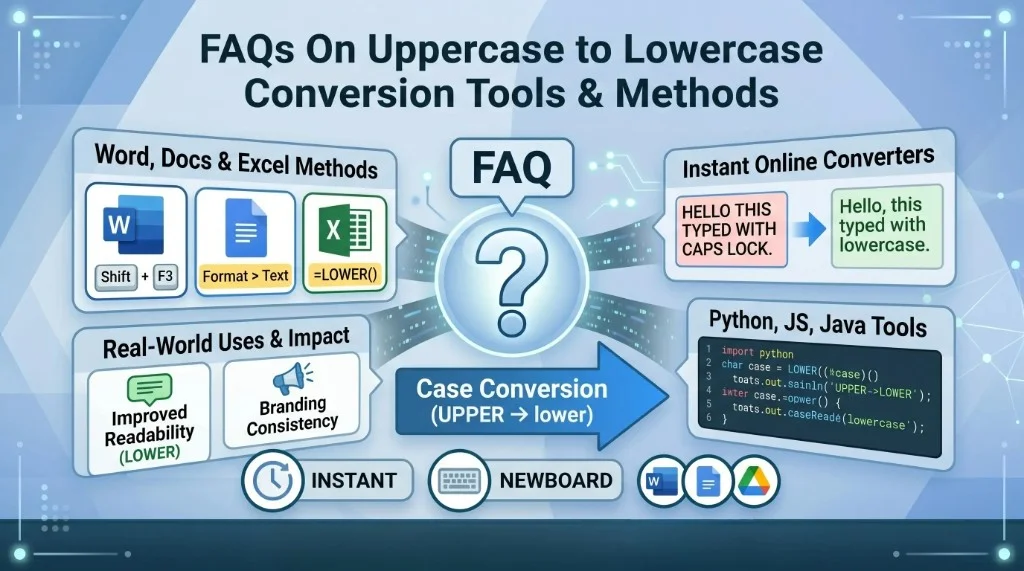
Shortcut keys save time and reduce friction. Whether caps lock was left on or a client pasted block capitals, cycling case from the keyboard keeps you in flow. For a full comparison of tools, read our case conversion FAQs or use the free uppercase to lowercase converter when no editor shortcut is available.
Benefits include:
- Faster text editing
- Better productivity
- Less manual retyping
- Easy formatting inside documents and emails
- Helpful for writers, students, and professionals
Convert Uppercase to Lowercase Shortcut Key in Windows
The most common shortcut on Windows is Shift + F3. It works in apps such as Microsoft Word, Outlook (message editor), and several other editors that follow Office conventions.
How to use it
- Highlight the text you want to change.
- Press Shift + F3.
- The selection cycles through UPPERCASE, lowercase, and Title Case (Word's capitalized style for headings).
Example: THIS IS AN EXAMPLE → after Shift + F3 → this is an example.
Convert Uppercase to Lowercase Using Keyboard Shortcuts (Office)
Different programs expose different methods; Office is the standout.
Microsoft Word
- Windows: Shift + F3
- Mac: fn + Shift + F3 (sometimes Shift + fn + F3 depending on layout)
Outlook
The Windows mail editor mirrors Word: Shift + F3 cycles case. On Mac, try fn + Shift + F3; support varies slightly by Outlook version.
Convert Uppercase to Lowercase Shortcut for Mac
Method 1: Keyboard shortcut in Word for Mac
Press fn + Shift + F3 to cycle lowercase → UPPERCASE → Title Case.
Method 2: Menu option
If the shortcut does not fire:
- Select your text.
- Open the Format menu.
- Choose Change Case.
- Pick lowercase, UPPERCASE, or Capitalize Each Word.
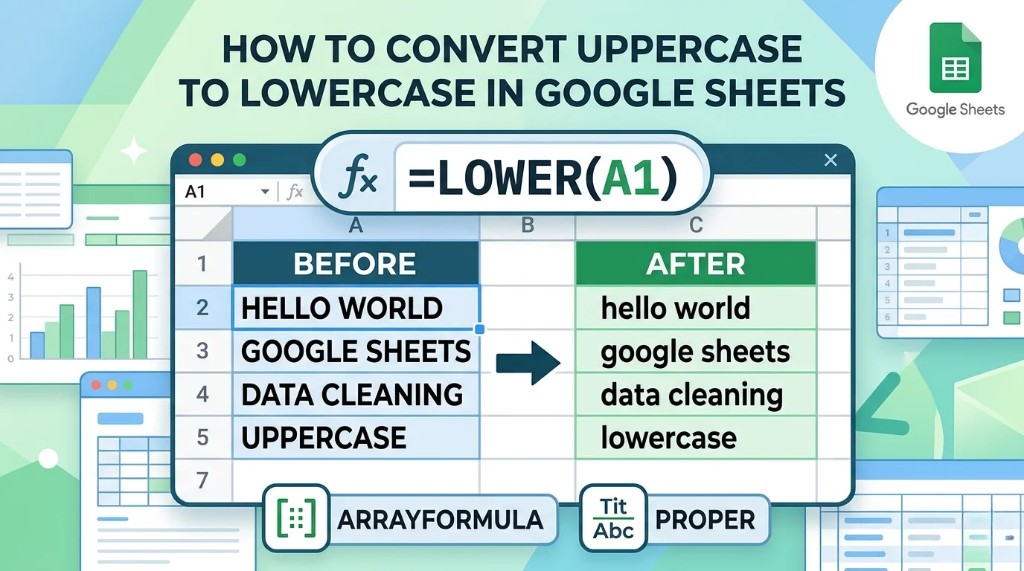
Non-Office Mac apps each implement case tools differently. Always check the Format or Style menus when a shortcut fails. Spreadsheet users can normalize data with Google Sheets LOWER() or Excel formulas.
Apple Pages
Pages does not always mirror Word's shortcut. Typically: select text → Format → adjust capitalization under style or font options depending on your Pages version.
Google Docs on Mac
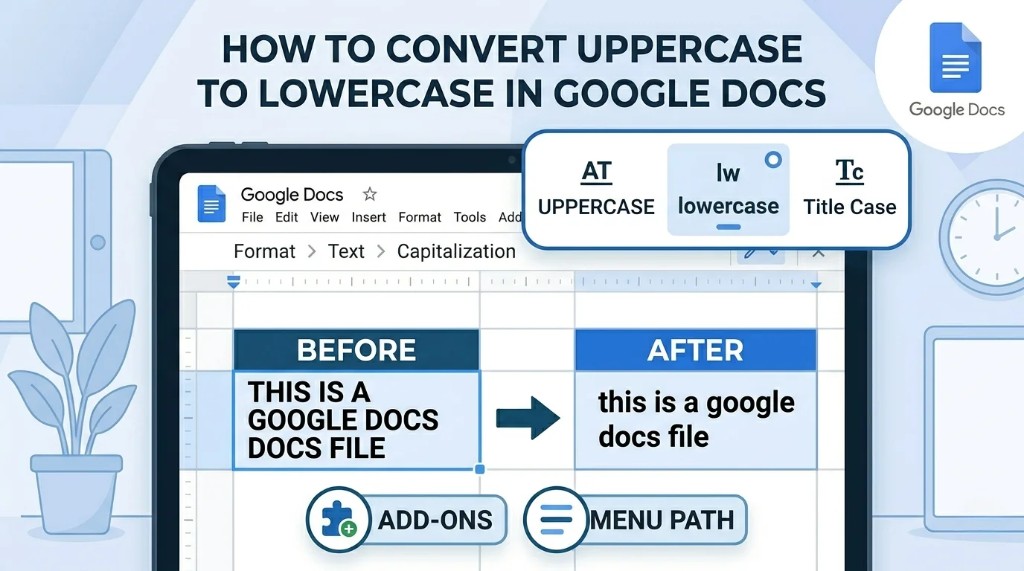
Docs relies on menu capitalization—see our dedicated Google Docs uppercase to lowercase guide:
- Highlight text.
- Click Format → Text → Capitalization.
- Choose lowercase.
How to Convert Uppercase to Lowercase on Mac (Beginners)
Step 1: Highlight the text
Use your mouse or trackpad to select the passage you need.
Step 2: Try the shortcut
In Word, press fn + Shift + F3. If nothing happens, continue to step 3.
Step 3: Use menu formatting
Fall back to Format → Change Case (Word) or Format → Text → Capitalization (Google Docs).
Common Applications That Support Case Conversion
| Application | Shortcut support |
|---|---|
| Microsoft Word | Yes (Shift + F3 / fn + Shift + F3) |
| Outlook | Yes (Office editor) |
| Google Docs | Partial (menu-based) |
| Apple Pages | Limited (menu-based) |
| Notes | Limited |
| TextEdit | Usually no built-in shortcut |
Troubleshooting Mac Keyboard Shortcuts
If fn + Shift + F3 does nothing, macOS may be capturing the function row for brightness or volume.
Check function key settings
- Open System Settings → Keyboard.
- Toggle Use F1, F2, etc. keys as standard function keys (wording may vary slightly by macOS version).
- Retry the shortcut inside Word.
Tips for Faster Text Formatting
- Practice the Office cycle until muscle memory sticks.
- Avoid deleting and retyping when a shortcut or menu can fix casing.
- Learn app-specific quirks—Docs vs Word vs Pages all differ.
Best Shortcuts for Case Conversion (Complete Table)
| Platform / app | Shortcut / method | What it does | Notes |
|---|---|---|---|
| Windows (Word) | Shift + F3 | Cycles UPPERCASE, lowercase, Title Case | Most common shortcut |
| Mac (Word) | fn + Shift + F3 | Cycles case options | Depends on keyboard settings |
| Google Docs | Format → Text → Capitalization → lowercase | Lowercases selection | No built-in global shortcut |
| Apple Pages | Format → Style → case options | Menu-based capitalization | Varies by version |
| Outlook (Windows) | Shift + F3 | Case cycle in mail editor | Similar to Word |
| Outlook (Mac) | fn + Shift + F3 | Case cycling when supported | Version-dependent |
| Notepad (Windows) | — | No built-in case conversion | Use another editor or tool |
| TextEdit (Mac) | — | No direct shortcut | Use menus or external apps |
| Gmail (browser) | — | No built-in shortcut | Format before paste or use extensions |
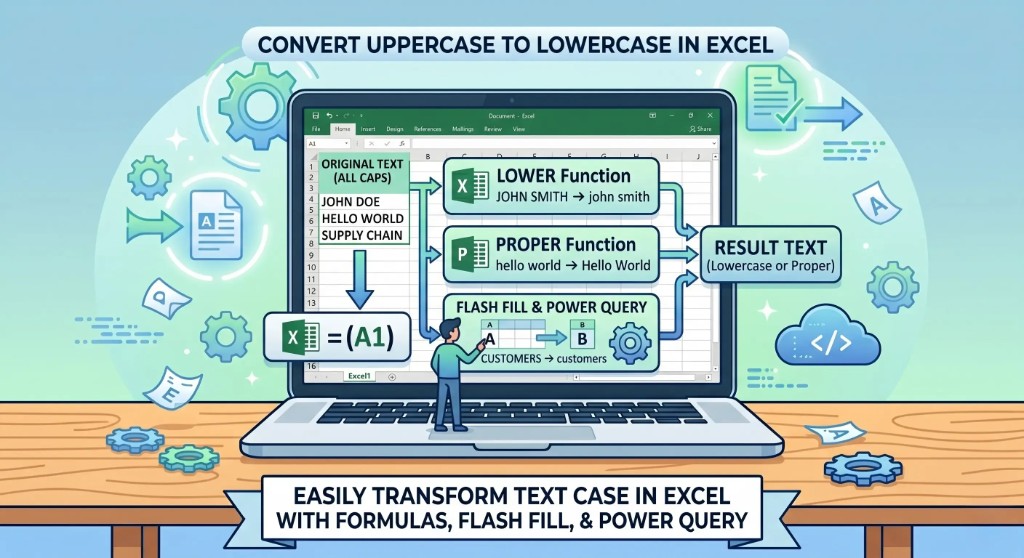
| Excel | =LOWER(A1), =UPPER(A1), =PROPER(A1) | Formula-based conversion | Best for bulk data |
| PowerPoint (Windows) | Shift + F3 | Case in text boxes | Matches Word behavior |
| PowerPoint (Mac) | fn + Shift + F3 | Case conversion when supported | May depend on version |
Frequently Asked Questions (FAQs): Case Conversion Using Keyboard Shortcuts
What is the shortcut key to convert uppercase to lowercase?
On Windows in Word, Shift + F3 cycles case. On Mac in Word, use fn + Shift + F3 (settings permitting).
Does the uppercase-to-lowercase shortcut work in all apps?
No. It is reliable in Microsoft Word and many Office apps. Google Docs, Pages, Notepad, TextEdit, and Gmail usually require menus, formulas, or extensions.
How do I convert case on Mac without a shortcut?
Use Format → Change Case in Word, or Format → Text → Capitalization in Google Docs. Other apps expose similar menus under Format or Edit.
Why is Shift + F3 not working on my Mac?
macOS may reserve the function row. Enable standard function keys in System Settings → Keyboard, or hold fn while pressing F3.
Can I switch back to uppercase with the same shortcut?
Yes—keep pressing Shift + F3 (or fn + Shift + F3 on Mac Word) to cycle through lowercase, UPPERCASE, and Title Case.
Is there a shortcut for case change in Google Docs?
Not a built-in global shortcut. Use Format → Text → Capitalization → lowercase, or a trusted browser extension if you need hotkeys.
Can Excel convert case automatically?
Yes—use =LOWER(A1), =UPPER(A1), or =PROPER(A1) for spreadsheet ranges.
Which method is fastest?
Word on Windows with Shift + F3 is typically fastest for prose. Menus and spreadsheet formulas trade speed for flexibility.
Do shortcuts apply to selected text only?
Yes. Highlight the passage first; the shortcut affects the selection, not the whole document.
What if I change case constantly?
Memorize Office shortcuts, keep Word or Outlook handy for drafting, use Excel formulas for data grids, and bookmark a web converter for lightweight tasks.
Final Thoughts
Learning how to convert uppercase to lowercase with keyboard shortcuts pays off immediately: Shift + F3 on Windows Word and fn + Shift + F3 on Mac Word cover most long-form editing, while Google Docs and Pages lean on menus. Pair shortcuts with spreadsheet formulas when you work with structured data, and you will spend far less time fixing capitalization by hand.
Share this article