How to Convert Uppercase to Lowercase in JavaScript?
String case conversion is one of the most common tasks in JavaScript. Converting uppercase text to lowercase helps maintain consistency for searches, comparisons, validation, and user input handling.
Quick Summary: Convert Uppercase to Lowercase in JavaScript
- Use
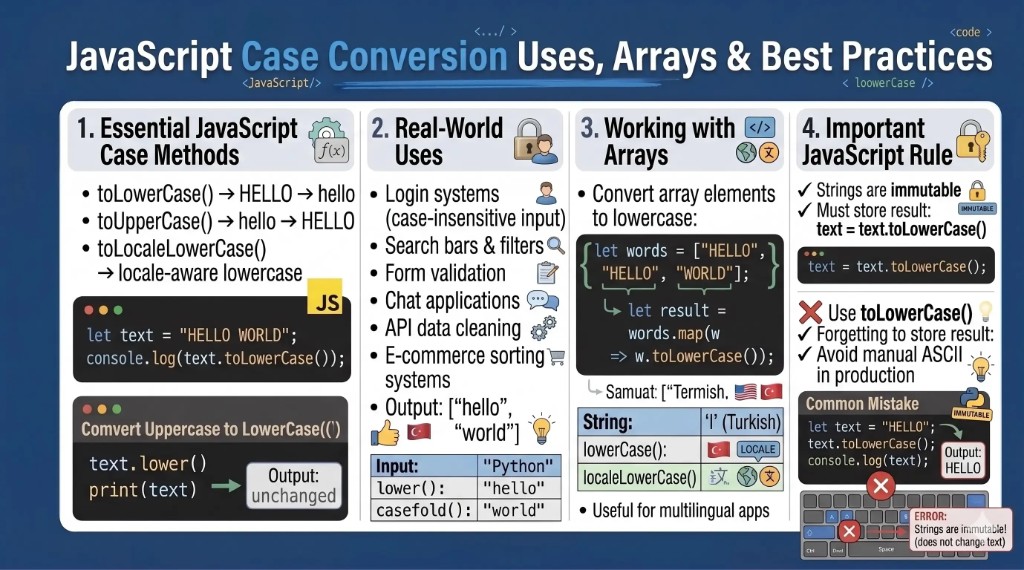
toLowerCase()to convert uppercase text quickly—see the Pythonlower()guide for a similar API. - JavaScript strings are immutable, so conversion returns a new string.
- Manual conversion with
charCodeAt()andString.fromCharCode()helps beginners understand encoding. - Regex + string methods can format text while capitalizing words.
- Lowercase conversion is common in forms, search, and API cleanup—or use our free uppercase to lowercase converter for one-off text fixes.
Why Convert Uppercase to Lowercase in JavaScript?
Developers use case conversion for case-insensitive search, form validation, username consistency, and data normalization. Compare with Python lower() and Java toLowerCase(), or use the free online converter for one-off text. See uppercase vs lowercase for writing context.
Convert Uppercase to Lowercase Using toLowerCase() in JavaScript
Syntax
string.toLowerCase()Example
let text = "HELLO WORLD";
let result = text.toLowerCase();
console.log(result);
Output: hello world
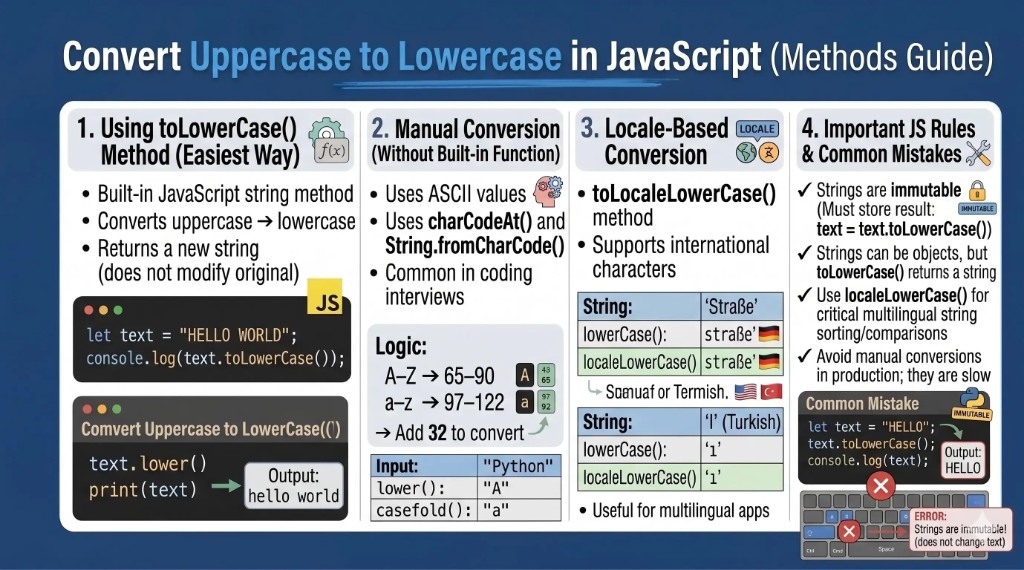
The original string remains unchanged because JavaScript strings are immutable.
How toLowerCase() Works in JavaScript
- Converts uppercase letters into lowercase.
- Returns a new string.
- Leaves numbers and symbols unchanged.
let text = "JAVASCRIPT 2026!";
console.log(text.toLowerCase());
// javascript 2026!
Convert Lowercase to Uppercase in JavaScript
let text = "hello world";
console.log(text.toUpperCase());
// HELLO WORLD
Convert Uppercase to Lowercase Without Using Inbuilt Function in JavaScript
let text = "HELLO WORLD";
let result = "";
for (let i = 0; i < text.length; i++) {
   let code = text.charCodeAt(i);
   if (code >= 65 && code <= 90) {
       result += String.fromCharCode(code + 32);
   } else {
       result += text[i];
   }
}
console.log(result);
Output: hello world
Understanding ASCII Conversion in JavaScript
| Character | ASCII Value |
|---|---|
| A | 65 |
| Z | 90 |
| a | 97 |
| z | 122 |
Difference is 32, so adding 32 converts uppercase to lowercase in ASCII-based logic.
Practical Lowercase Conversion Examples in JavaScript
Single Character
let char = "A";
console.log(char.toLowerCase()); // a
User Input
let username = prompt("Enter Username");
console.log(username.toLowerCase());
Array Elements
let words = ["HELLO", "WORLD", "JAVASCRIPT"];
let lowercaseWords = words.map(word => word.toLowerCase());
console.log(lowercaseWords);
// ["hello", "world", "javascript"]
First Letter Capitalized Formatting
let text = "HELLO WORLD";
let formatted = text.toLowerCase().replace(/\b\w/g, char => char.toUpperCase());
console.log(formatted);
// Hello World
HTML Input Auto-Lowercase
<input type="text" id="name">
<script>
document.getElementById("name").addEventListener("input", function() {
   this.value = this.value.toLowerCase();
});
</script>
Difference Between toLowerCase() and toLocaleLowerCase()
let text = "HELLO";
console.log(text.toLowerCase());
console.log(text.toLocaleLowerCase());
toLocaleLowerCase() helps with locale-specific case conversion behavior in international text.
Best Practices for Case Conversion in JavaScript
- Use
toLowerCase()for most applications. - Store returned values because strings are immutable.
- Use locale-aware methods for international text.
- Normalize user input before validation/comparison.
- Avoid manual ASCII conversion in production unless required.
Real-World Uses
- Login systems
- Search bars
- Form validation
- Chat applications
- E-commerce filters
- Web app data formatting
Common Mistakes Beginners Make
Forgetting strings are immutable
let text = "HELLO";
text.toLowerCase();
console.log(text); // HELLO
Correct usage:
text = text.toLowerCase();Frequently Asked Questions (FAQs): Case Conversion in JavaScript
How do I convert uppercase to lowercase in JavaScript?
Use text.toLowerCase().
How do I convert lowercase to uppercase in JavaScript?
Use text.toUpperCase().
Does toLowerCase() change the original string?
No. It returns a new string.
Can I convert without built-in functions?
Yes, using ASCII logic with charCodeAt() and String.fromCharCode().
What is the difference between toLowerCase() and toLocaleLowerCase()?
toLocaleLowerCase() supports locale-aware conversions.
Why is lowercase conversion important in JavaScript?
It standardizes text for searching, validation, comparisons, and clean formatting.
Final Thoughts
Converting uppercase to lowercase in JavaScript is a core string skill for frontend and backend development. Use toLowerCase() for most workflows and keep manual conversion logic for learning and algorithm practice.
Share this article